
My old stroker died mid-session the night before the Kiiroo Keon 2 arrived, leaving me staring at a blinking light. 🔋 Nothing deflates a man faster than a gadget asking for a nap.
I own more things that need charging than a small airport. I also trust “AI” on a sex toy about as much as “gourmet” on gas station sushi.
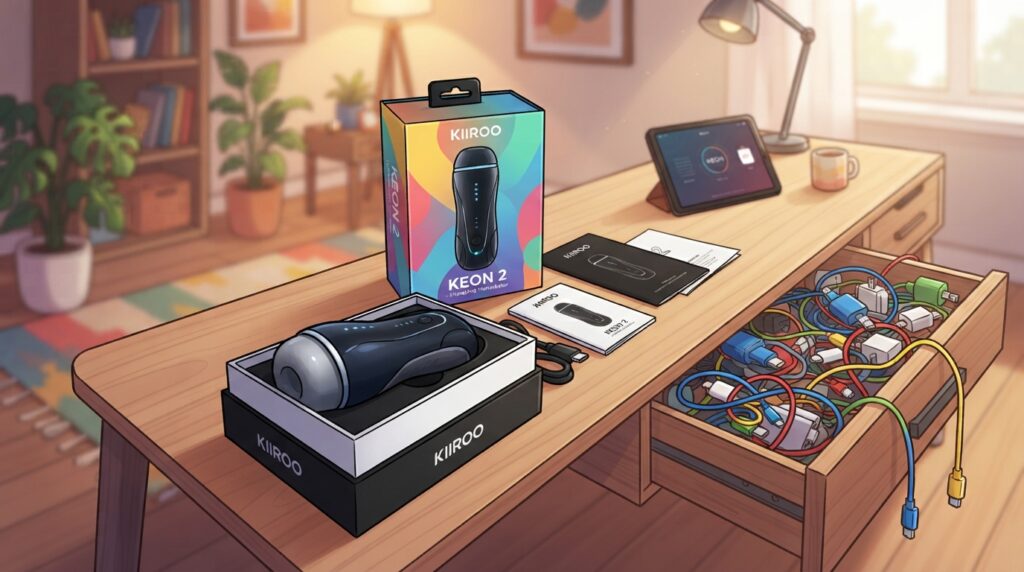
So I unboxed this one with one eyebrow already raised. My experience since then has been part relief, part receipt.
This is a follow-up to a famous machine, and the big question is blunt. Did the second generation fix what annoyed people about the first?
I’ll give you the real changes, the hidden costs, and how it stacks up against The Handy 2 and the Autoblow AI Ultra. Then you can decide if the price is worth it, or if your money stays home.
One thing a glossy review skips: two separately sold items, an adapter and a wall charger, belong in the real decision. Keep that question in your head the whole way through. 🧐
First up, the honest list of what actually changed from the original.
What Changed From the Original Keon 🔧
Top speed jumped 164%, from 259 mm/s on the Keon 1 to 684 mm/s on the Keon 2. That reads like a sports car ad, and the sports car is not the part you will notice first.
Both models are automatic strokers, the interactive stroker type: you seat a sleeve in the device and the motor does the work. The Keon 1 launched in 2020, and the Keon 2 keeps its idea and software on new hardware from the motor up.
The stroke went from 70 mm to 95 mm, a 36% gain. Modes went from 3 to 8, which sounds generous until you learn one of them is basically a panic button.
Charging dropped from about 4 hours over plain USB to about 90 minutes over USB-C Power Delivery. That faster refill matters more than it sounds when the old one needed an entire afternoon.
USB-C Power Delivery is a charging standard that lets a USB-C cable carry far more power than a phone charger. That is why the Keon 2 runs straight off the wall only with a 100W-class adapter.
Rated battery life rose from 30 minutes to up to 3 hours, and the Keon 2 runs on battery or plugged in. The Keon 1 was battery-only and took non-Kiiroo sleeves only with a separate $12 Keon Compatible Stroker Case.
| Spec | Keon 1 | Keon 2 |
|---|---|---|
| Stroke length | 70 mm | 95 mm ✅ |
| Top speed | 259 mm/s | 684 mm/s ✅ |
| Modes | 3 | 8 ✅ |
| Charge time | About 4 hours | About 90 minutes ✅ |
| Battery life | 30 min to 2 hours | Up to 3 hours ✅ |
Here is what a side-by-side spec sheet misses. The speed figure is the headline, but the longer stroke and the plug in the wall are the changes you feel every session.
Speed sells the Keon 2; the longer stroke and wall power are what you actually live with.
The Kiiroo Keon name earned its reputation on the first model, so the range of upgrades here is real, not cosmetic. Before I go feature by feature, you deserve the straight verdict and the pros and cons.
My Quick Verdict ⚡
Yes, the Keon 2 is worth it, and that is rare praise, because sequels usually arrive with less plot and more explosions. This one arrives with more motor and fewer excuses.
It fixes the real complaints about the first model, but the box is not the whole bill. Any review that stops at the sticker is selling you half the story.
The headline changes are faster motion, a longer stroke, dual power, WiFi plus Bluetooth, and support for non-Kiiroo strokers through an adapter you buy separately. The device is also not waterproof, which Kiiroo says plainly and I will repeat loudly.
| Pros ✅ | Cons ❌ |
|---|---|
| Faster motor and a longer stroke | Adapter for third-party sleeves sold separately |
| Battery or wall power | Wall use needs a 100W USB-C PD adapter you buy yourself |
| WiFi plus Bluetooth with app control, VR and partner play | Not waterproof, so no shower use |
| 8 modes including a one-button Finisher | Heavier than a plain sleeve and more cleaning |
Every website online fixates on the speed, and the speed is great. What sold me is that the sleeve choice is no longer a prison.
Compared with the first model, the pros list grew and the cons list changed shape rather than shrinking. The adapter cost and the charger cost are new, and both are optional only on paper.
There is also a “when not to,” and it is simple. If you want something quiet, small and easy to rinse under a tap, this is more device than you need.
A plain sleeve costs a fraction of the price and never asks for a firmware update. A machine like this is for the reader who wants his content synced and his hands free.
My verdict only makes sense once you know what actually comes in the box, and what you’ll be ordering a week later in a huff.
What’s in the Box (and What’s Not) 📦
I opened the box, found the device, found the cable, and then dug through the foam for a charger brick that was never there. The “not included” list is longer than I’d like, and I’m told that’s a feature.
The device ships ready to run on battery, but wall power and other brands’ sleeves both need separate purchases. Kiiroo offers the Keon 2 with or without its own stroker.
Pick the stroker-included option and here is what you unbox:
- The Keon 2 itself with its detachable cradle for Kiiroo strokers
- A FeelStroker sleeve: TPE, body-safe, phthalate-free, 200 × 84 mm and about 800 g
- A USB-C charging cable
- A quickstart guide
- Free FeelConnect app access
- One month of free FeelMe AI access
And here is the shorter, sadder list of what is sold separately:
- The Universal Fit accessory for Fleshlight, Doc Johnson and other sleeves
- A 100W USB-C PD wall adapter for plugged-in use
- The Keon Table Clamp for hands-free use
The no-sleeve option trips people up. It only makes sense if you already own sleeves and plan to buy the accessory anyway, because the app cannot stroke you with an empty cradle.
The FeelStroker on its own is a decent sleeve and not a throwaway. Still, the motor is the reason anyone buys this, so speed and stroke come next.
Speed, Stroke Length and How the Motion Feels 🚀
A quick tap and a full glide are not the same thing, even at the same beat, and Kiiroo publishes numbers for both halves of that difference. Think of it as the gap between a drum roll and a wave.
The number to care about is stroke length combined with smooth speed, not the peak speed on the box. A fast short stroke feels like a sewing machine, and nobody fantasizes about a sewing machine.
684 mm/s and 300 Strokes a Minute, With One Asterisk
Kiiroo publishes a speed range from a minimum of 28.5 mm/s to a maximum of 684 mm/s. At the top end the device is rated for up to 300 strokes per minute.
That makes the Kiiroo Keon 2 the only stroker in its class whose maker publishes both a mm/s figure and a strokes/min figure. I appreciate honesty in numbers, even when the numbers sound like a rollercoaster warning sign.
Here is the asterisk. The 684 mm/s peak applies only in Finisher Mode, and Kiiroo does not publish the ceiling outside that mode.
So the day-to-day top speed sits somewhere below the headline, and you only learn it by feel. That is not a scandal, but it is a marketing choice, so read 684 as a sprint, not a cruise.
Why the 95 mm Stroke Matters More Than the Speed
The 95 mm stroke is fixed, not adjustable, and it is the figure that changes the character of the motion. A longer travel means the sleeve covers more of you per cycle, so every stroke has more variation to work with.
Longer travel also gives scripted content more room, so a scene that calls for slow, deep movement actually delivers it. Short-stroke machines fake that part by shuffling in place.
The honest limit: 95 mm is about 3 cm shorter than The Handy 2’s stroke and about 1.5 cm shorter than the original Handy’s. In use the difference is small, and the fixed length removes one dial you would otherwise fiddle with.
High strokes-per-minute numbers are easy to hit with short movements, which is why I don’t trust a strokes figure on its own. Judge speed, travel distance and smooth variation together, or you’ll buy a very fast disappointment.
There is one button that unlocks the full 684 mm/s whenever you decide subtlety has run its course. It deserves its own confession.
Finisher Mode: The Button That Ends Negotiations 🏁
Finisher Mode is a button that files for divorce from patience, ramping the motor to full speed while you hold it. Let go and the device drops back to whatever you were doing before, like nothing happened.
You can trigger it inside an interactive session without leaving the script, which is the part that makes it more than a party trick. The Keon 2 ships with 8 modes in total, up from 3 on the Keon 1.
The full lineup looks like this:
- Manual: you set speed and stroke range yourself with the buttons
- Auto 1: the first self-running preset
- Auto 2: the second preset, tuned separately
- Auto 3: the third preset, same idea, different dial positions
- Bluetooth: control from the app or third-party tools over Bluetooth
- WiFi: direct sync over your home network
- Custom: your own saved settings
- Finisher: the hold-to-ramp override to maximum speed
The Keon 1 lumped app play into one Bluetooth-Interactive bucket. Splitting it into separately tunable presets means you aren’t re-dialing speed every time you switch.
Is it a gimmick? It’s a convenience feature, and on its own it is not a reason to upgrade from the Keon 1.
The real win is not fiddling with speed, range and app settings when you just want the machine to stop being subtle. One thumb, one button, one outcome, and no menu diving at the worst moment.
None of this matters if the battery quits halfway through, which brings up the part the first model got most wrong.
Battery, Charging and the 100W USB-C Catch 🔋
Picture a VR scene at the good part, headset glowing, and the stroker slowing to a polite stop because the battery has opinions. That was the Keon 1 experience, and it is the one thing the Keon 2 had to fix.
The Keon 2 runs up to 3 hours on battery, charges in about 90 minutes, and runs plugged in with no session cap. The catch is the wall brick, which Kiiroo does not put in the box.
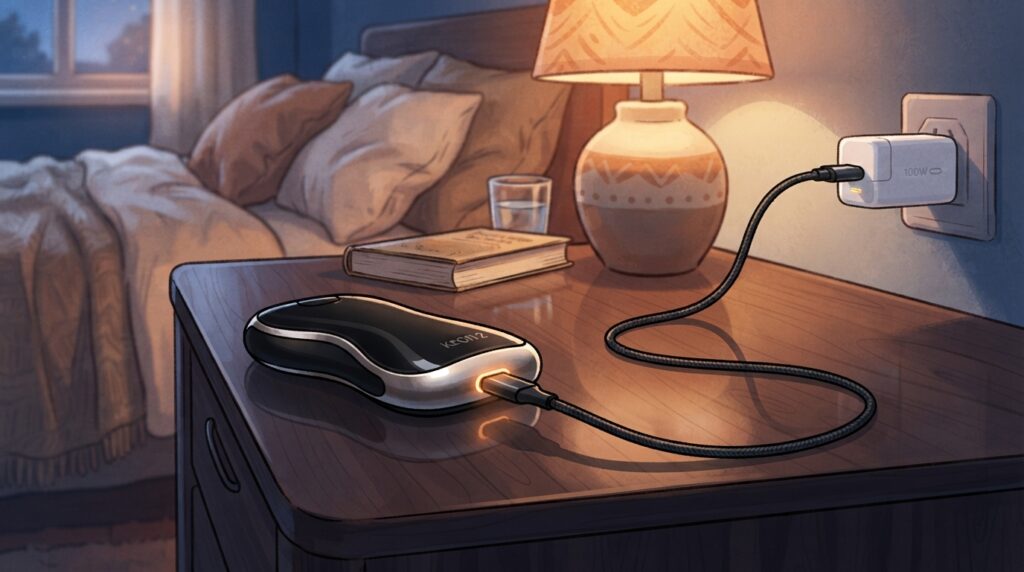
Up to 3 Hours Cordless, 90 Minutes to Refill
Inside sits a 1000 mAh lithium-ion battery that Kiiroo rates for up to 3 hours. I’m quoting the rating, not a stopwatch, because runtime swings with speed and mode.
Charging takes about 90 minutes over USB-C Power Delivery using the included cable. The Keon 1 could drain in about 30 minutes at full speed and could not be used while charging.
That combination made its battery the most-hated limit among owners, and I understood every complaint. On the new model the 3-hour rating covers most evenings, and the wall takes over when it doesn’t.
USB-C Power Delivery also means you can top it up from the same cable that feeds a modern laptop. Power delivery at that level is the whole reason plugged-in use exists on this model.
Plugging It Into the Wall Needs the Right Brick
The Keon 2 accepts 20V DC wall power only through a USB-C PD adapter rated 100W or higher. A regular phone charger will not run it from the wall, no matter how confident the cable looks.
The 100W USB-C PD adapter is sold separately, so budget for a Kiiroo-branded brick or a standard 100W USB-C PD laptop charger. I raided my laptop drawer and found one, which felt like finding cash in a coat.
One exception trips people up. A 65W laptop brick looks identical and falls short, so check the printed wattage before you blame the toy.
Plugged in, there is no session cap, so a long evening does not end with a blinking light. With power sorted, the next question is what you can actually put in the cradle, and the answer involves brands Kiiroo does not own.
Sleeves and the Universal Fit Accessory 🧦
Yes, the Keon 2 takes Fleshlight sleeves, with one condition: you need the Universal Fit accessory, sold separately. My sleeve drawer has the population of a small town, so this condition mattered to me.
Kiiroo’s own strokers fit the cradle natively; Fleshlight, Doc Johnson and other brands need the adapter, which fits the Keon 2 only. That one line decides whether your existing collection becomes useful or stays decorative.
The FeelStroker You Get in the Box
The FeelStroker is Kiiroo’s own TPE sleeve, and it seats in a detachable cradle built for Kiiroo strokers. It is a regular body-safe stroker, not a novelty, and it is the sleeve most owners will use first.
Kiiroo’s FeelStars line fits the same cradle without any adapter, so sleeves modeled on performers slide straight in. If you stay inside Kiiroo’s catalog, compatibility is a non-issue.
Fleshlight and Doc Johnson Sleeves: What the Universal Fit Does
The Universal Fit accessory attaches other brands’ sleeves with a push-to-release mechanism: push the sleeve in to lock, press to release. It is made for the Keon 2 only, so a Keon 1 owner cannot borrow it.
The brands it opens up are the ones people actually own. Fleshlight and Doc Johnson are named outright, and that matters because most of us bought sleeves before we bought a machine.
Access to the Fleshlight catalog is, for me, the single strongest reason to pick this machine. Fleshlight covers hundreds of textures and signature molds that Kiiroo’s own range has never matched, and Kiiroo has a Fleshlight partnership on top.
Now the lead I cannot confirm. Some owners on forums report that certain Fleshlight sleeves seat snugly in the Keon 2’s own holder without the Keon Universal Fit, and that remains an unconfirmed owner report, not my test.
Treat it as a tip and buy the fit accessory anyway. At its price it is cheaper than one bad week of improvising.
The mistake I see most: ordering the device without the sleeve and without the adapter. You end up with an expensive paperweight for a week, admiring a motor with nothing to move.
A motor with the right sleeve is still just a motor. The app and the connectivity are what turn it into an interactive stroker, and that is where things get both clever and fussy.
App Control, WiFi Sync and Bluetooth 📱
My speaker once paired with the stroker while a guest asked for music, so I take connectivity personally. The good news is that this device has three ways to connect, and only one of them is Bluetooth.
The Keon 2 runs Bluetooth and WiFi natively, and the WiFi link can reach some content platforms without the app relaying the script. Which path turns it into an interactive stroker for you depends on whether you want synced video, VR, partner play or third-party tools.
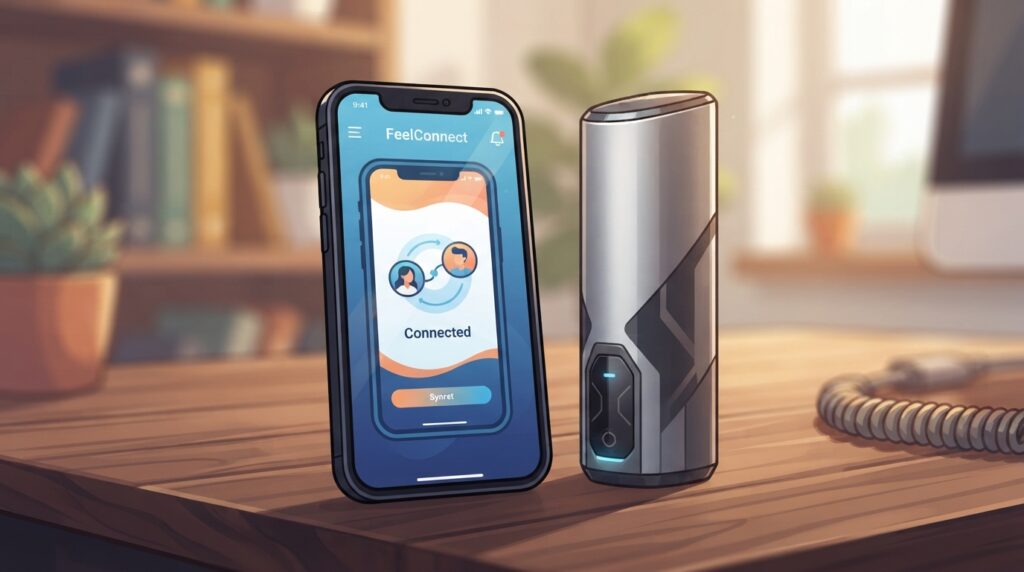
FeelConnect, FeelMe AI and Partner Play
The FeelConnect app runs on iOS and Android and is the home base for the Kiiroo Keon 2. It handles manual control from your phone, mode tuning and synced interactive content.
FeelMe AI converts non-scripted 2D or VR videos into real-time stroke scripts, and it is confirmed compatible with the Keon 2. One month comes free in the box, after which it becomes a subscription you decide on.
Partner play lives in FeelConnect 3’s partner mode, where one Kiiroo toy drives another. Pair a Keon 2 with a Kiiroo Pearl 3 and the two sync to each other, which is the long-distance use case.
WiFi Without the App in the Middle
Native WiFi lets the Keon 2 connect to a compatible interactive content platform directly over your home network. The FeelConnect app does not relay the script, which means lower latency on long scripts.
It also means a more resilient link in a dense apartment building, where Bluetooth interference is a real problem. Every neighbor’s earbuds and speakers compete for the same slice of air, and WiFi sidesteps that fight.
The exception that bites: each content platform has to add the device on its end, so platform support is still rolling out. Check that your favorite site supports the Keon 2 over WiFi before you buy it for sync.
Bluetooth for Third-Party Apps
Over Bluetooth the Keon 2 works through Intiface, the free open-source app built on the Buttplug.io protocol. That is how third-party browser tools such as the edging player The Edgy drive it.
If you like community tools more than official ones, this is your path, and it works today. It is also the path where pairing happens, so keep the phone close and the speaker far.
One gap remains: Kiiroo’s SDK page currently offers only a release alert, so there is no public low-latency control API yet. Developers wait, and you wait with them.
Connectivity is invisible when it works and loud when it doesn’t. The parts you actually hold, the body and the buttons, are a quieter story.
Build, Weight and the New Front Buttons 🎛️
996 grams, about the weight of a full bottle of wine, is what you hold for the whole session. That is roughly 10% lighter than the 1.1 kg Keon 1, and still heavy after half an hour in one hand.
The six front-facing buttons are the change you’ll thank Kiiroo for in a headset. They give you control of power, mode, speed and stroke length, right where your thumb lands.
The Keon 1 stacked its buttons on the back, which turned every adjustment into a game of Marco Polo. In VR you could not see them, and feeling for them meant guessing which one you’d hit.
The body measures 146 × 124 × 218 mm and is made of ABS and polycarbonate. It comes in black and blue, and the warranty runs 1 year.
It is a handheld device that does not stand on its own, so you hold it or clamp it. That is the way the Kiiroo Keon family has always worked, and the Keon 2 keeps the shape.
On noise, Kiiroo publishes no figure and claims only a quieter motor mount than the Keon 1. I won’t invent a decibel number, so take the claim as a claim.
The “when not to” is firm: the Keon 2 is not waterproof, so shower use is off the table. You clean the sleeve, not the machine, and you keep the machine dry.
The base machine is only half the ecosystem. Kiiroo sells a surprising amount of stuff to bolt onto it.
PowerBlow, PowerShot and Other Add-Ons 🛠️
Both hands are busy, one on a controller and one on an arousal slider, and the stroker needs to stay exactly where it is. That is the hands-free setup, and it is the reason the accessory aisle exists.
Kiiroo sells four add-ons worth knowing, and all four are sold separately. The accessory aisle here is shorter than a camera store’s, but it tempts just the same.
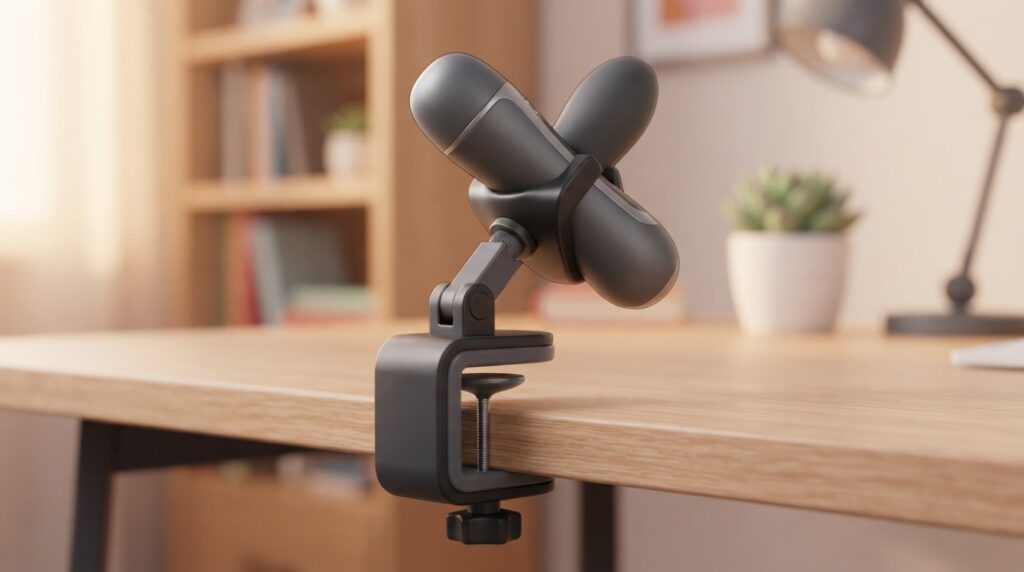
Here is what each one does:
- The PowerBlow, a suction add-on that pairs with a FeelStroker and layers a customizable sucking sensation on top of the stroking
- The PowerShot, a vibration add-on for anyone who thinks a stroker alone is too polite
- The Keon Table Clamp, which locks the Keon in place for hands-free use
- The Universal Fit accessory, the sleeve adapter from earlier, listed here only as a reminder
The PowerBlow is the first exception: it runs only through Kiiroo’s own app ecosystem, FeelConnect and FeelMe AI, today. Buttplug.io does not support it, so third-party tools cannot sync it alongside the Keon 2 yet.
The second exception is the lying-down cushion. Kiiroo lists that accessory for the Keon 1, not the Keon 2, so don’t assume it fits.
For hands-free use on a budget, a photography clamp of the right size can stand in for the branded clamp. Fit is not guaranteed, so measure the body before you trust a camera arm with your evening.
With the add-ons mapped, the obvious question is the one everybody asks me. How does this stack against The Handy 2?
Keon 2 vs The Handy 2 🥊
Pick The Handy 2 for the tightest sync and the biggest script library. Pick the Keon 2 to bring your own full-size sleeves and for Kiiroo partner play.
The original Handy is sold out in the US, so The Handy 2 is the real rival on the shelf. These two are the heavyweights of the category, and they trade punches on different things.
Some history for context: the original Handy ran up to 600 strokes/min with a 0-110 mm adjustable stroke and was wired only. It was priced at $169 before it sold out, and The Handy 2 is its cordless successor.
| Feature | Keon 2 | The Handy 2 |
|---|---|---|
| Stroke length | 95 mm, fixed | About 125 mm, adjustable 🏆 |
| Power | Battery or wall 🏆 | Cordless |
| Sleeve mounting | Closed cradle, full-size sleeves, Universal Fit for Fleshlight 🏆 | Open strap, Fleshlight via adapter |
| Third-party app link | Bluetooth via Intiface | Native WiFi 🏆 |
| Script library | FeelConnect plus FeelMe AI | Handyverse plus FunScript, larger today 🏆 |
On stroke, The Handy 2 wins by about 3 cm, and its stroke is adjustable where the Keon 2’s is fixed. Small in use, but a win is a win.
On speed, the Keon 2’s 164% jump pulls it into the same conversation as the Handy line, which was never true of the Keon 1. Nobody will call either one slow.
On sleeves, the Keon 2 takes a clear round. Its closed cradle holds full-size strokers, and with the Universal Fit a Fleshlight sits locked in rather than strapped on.
The Handy uses an open velcro strap with Fleshlight via an adapter. It works, but a strap is a strap, and a cradle feels like furniture by comparison.
On third-party apps, The Handy connects over native WiFi with the lowest latency, while the Keon 2 goes through Bluetooth via Intiface. The Handy offers partner play through a remote-control link, but the Keon 2 pairs toy to toy through FeelConnect.
The Handyverse and FunScript library is larger today, and that head start is real on day one. If scripts are your main course, that detail outweighs the price difference of any sleeve.
The other name people search next to this one is the Autoblow, and it plays a different game entirely.
Keon 2 vs Autoblow AI Ultra 🤖
Some readers just want a plug-in machine with zero setup: no app, no sleeve shopping, no pairing ritual. For that reader the Autoblow AI Ultra is the simpler buy, and I say that as a Keon 2 fan.
The Autoblow AI Ultra is an enclosed box that runs its own sleeves and plugs into the wall. The Keon 2 is an open cradle for your own sleeves, and everything else follows from that split.
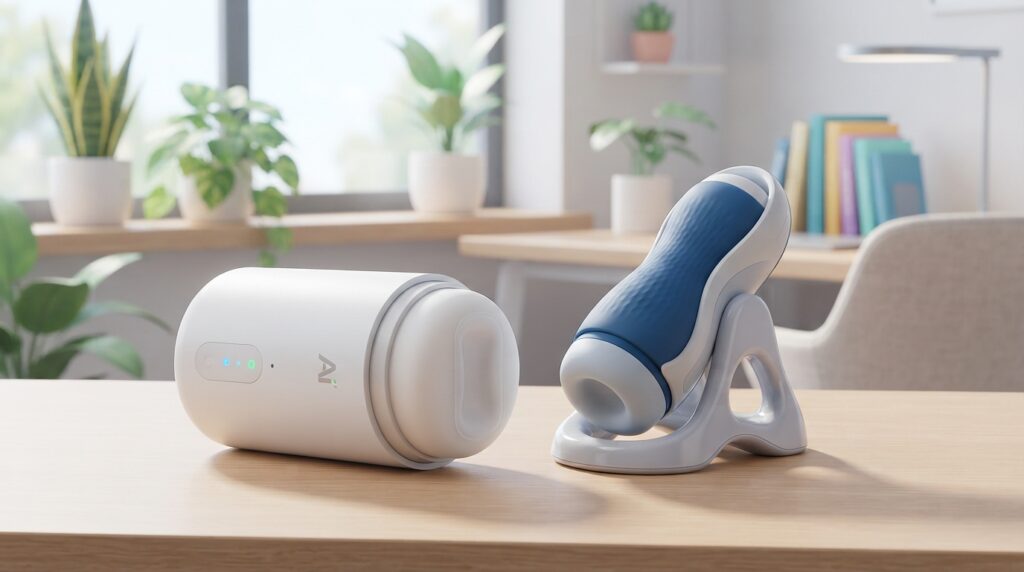
Here are the four contrasts that decide the comparison:
- Sleeve choice: the Keon 2 accepts Kiiroo, Fleshlight and Doc Johnson sleeves with the Universal Fit accessory, while the Autoblow runs the maker’s own sleeves inside the shell
- Power: the Keon 2 runs on battery or wall, while the Autoblow AI Ultra is wall only, a machine that needs its own outlet like a fridge
- Content sync and partner play: the Keon 2 pairs with partner toys and syncs to interactive video platforms through FeelConnect and FeelMe AI, while the Autoblow is a more self-contained experience
- Form factor: the Keon 2 is an open cradle you hold or clamp, while the Autoblow is an enclosed device you set down and use
If you never plan to sync video or use another brand’s sleeve, the enclosed plug-in machine is the easier purchase. The Keon 2’s flexibility is wasted on you, and you’d be paying for doors you never open.
If you do want synced content, partner play or your Fleshlight collection in the cradle, the Keon 2 is the stroker that bends to you. The Autoblow asks you to bend to it.
Specs are one thing and the forums are another. Real owners have argued about the Keon for five years, and their gripes are the best map of what the sequel fixed.
What Real Owners Say on Reddit and the Forums 💬
The complaint that came up most about the Keon 1 was its roughly 30-minute battery life under heavy use. Forum threads argued about everything else, but on that point the Kiiroo Keon crowd was unanimous.
The Keon 2 answers nearly every complaint the Keon 1 community voiced over five years. Here are the long-running gripes and the short version of each fix:
- Battery drain: rated runtime rises to hours, and wall power ends the anxiety
- Closed sleeve standard: the Universal Fit opens the cradle to Fleshlight and Doc Johnson sleeves
- Rear buttons: six controls move to the front where a thumb can find them in a headset
- Speed cap: the top speed more than doubles, so the “too slow” thread finally dies
- App-bound sync: native WiFi reaches platforms without the app in the middle
The Keon 1 earned a strong reputation, with good reviews on Kiiroo’s own store and on the EroScripts scripting forum. A device people build scripts around is a device people care about, and that is a good sign.
Forums being forums, half of every owner review thread is people disagreeing about the other half’s experience. The thing they agree on is that the sequel reads like a reply to their own posts.
One caution: the community lead about Fleshlight sleeves fitting the stock holder without the adapter is a tip, not a guarantee. Nobody has confirmed it, and I have not either, so plan on buying the Universal Fit.
The forums also argue about price, loudly and often. That is where the money talk begins.
Price, Availability and the Real Total Cost 💸
The Keon 2 launched at a $249 early bird price and a $289 standard price, both in US dollars. “Early bird” turned out to mean patient bird, as the shipping story shows.
Read $249 as the device, not the whole cost: a Fleshlight setup with wall power is the device plus the adapter plus a charger plus a sleeve. Here is the launch bill, line by line.
| Item 🛒 | Launch price 💵 | In the box? 📦 |
|---|---|---|
| Keon 2 | $249 early bird, $289 standard | The device itself |
| Universal Fit accessory | $19.95 | No |
| 100W USB-C PD adapter | Varies by brand | No |
| FeelMe AI | One month free, then paid | First month, yes |
| USB-C cable | Included | Yes |
Kiiroo announced the Keon 2 in Amsterdam on May 26, 2026. Batch 1, the first 500 units, sold out, and its end-of-July target slipped, with units still in production as of October 2026.
Batch 2 pre-orders are open at $249 while early-bird units last, then $289. Those ship December 2026 or January 2027, so “starting at” also means “starting eventually.”
The wall adapter price depends on brand and wattage, and a 100W laptop charger you already own is the cheapest route. The Universal Fit accessory is $19.95 and sold separately, small money next to the mistake of skipping it.
Pre-orders run through Kiiroo’s official product page, with retail distribution through Eldorado Trading Company, Entrenue and ONE-DC Wholesale. Kiiroo’s own store lists live prices and any Universal Fit or Table Clamp bundles.
The price only matters relative to who you are and what you already own. Sorting that out is the last real decision.
Who Should Buy It and Who Should Skip It 🎯
Buy it if you run long sessions, want wall power, own another brand’s sleeves, or sync content often. Self-diagnosis is free here and far less awkward than at a clinic.
If you cannot name another brand’s sleeve you want to use, judge the device on power and sync alone. The Universal Fit is not your reason in that case, and that rule clears up most of the confusion I see.
No third-party sleeve in mind? Then the adapter is not your reason, and the motor and the sync have to earn the sale on their own.
Upgrading From the Keon 1
Keon 1 owners should upgrade when the first model’s limits are what they notice most. Four signs point to yes:
- Battery frustration has become a running joke in your own head
- You want wall power for sessions that outlast a charge
- You own Fleshlights and want them in the cradle
- You use VR or synced content often enough to feel the Keon 1’s speed cap
The case for sitting tight is just as real. If you use the Kiiroo Keon manually in short sessions and are happy with Kiiroo’s own sleeves, the upgrade is not urgent.
Buying an Interactive Stroker for the First Time
For first-time buyers the Keon 2 is the better starting point, because it is less locked into one ecosystem. An interactive stroker you’ll keep for years should accept sleeves you have not bought yet.
The one exception is a heavily discounted Keon 1. If the price gap is big and you only want Kiiroo sleeves and short manual use, the old model still does the job.
A first machine also teaches you which features you actually use. The app, the sync, the wall power: you only learn which one matters by living with it.
Reasons to Pass
The skip crowd has three honest reasons, and none of them is a knock on the motor:
- You need the toy today: Batch 2 ships December 2026 or January 2027, and The Handy 2 is in stock
- You need a waterproof device: the Keon 2 has no water rating, full stop
- You want the largest script library on day one: the Handy and Handyverse have a head start
None of those is a flaw you can fix with an accessory. They are facts about timing, water and catalogs, and they decide more purchases than any spec sheet does.
Strip away the modes and the marketing, and the Keon 2 is a better version of the same idea. That idea was already good.
Conclusion
My Kiiroo Keon 2 review ends the way my gadget drawer begins: with one more thing that needs a charger, and this time I don’t mind. 🔌
The Keon 2 fixes the real complaints, power, stroke, sleeves and buttons, rather than piling on gimmicks. The sticker is not the full bill once the Universal Fit accessory and a 100W USB-C PD adapter join the cart.
Buy the Keon 2 if your sleeve drawer or your VR habit demands it; buy the in-stock Handy 2 if your patience doesn’t. It is the stroker I’d hand a friend who already owns a Fleshlight.
Your next step is small: check the wattage printed on the laptop charger you already own. Then decide whether this device or The Handy 2 fits your shelf and your patience.
And charge it before you need it, because the blinking light has no sense of timing.